
Adapting my Rust terminal UI game to run in the browser
A few months ago I published Merchant, a terminal UI game written in Rust. Since then I’ve gotten it to work in the browser in a way that shares all the game logic with the terminal version.
TL;DR: check it out (note: it’s a little small on mobile)
Where we started
You can read my initial post on Merchant if you want the full backstory, but the important technical pieces are:
- We used crossterm as the terminal / ANSI library, enabling us to target it and easily get Windows / Mac / Linux compatibility.
- We built a rendering engine with the following loop:
- Wipe the screen
- Translate a
GameStateobject into a large sequence of crossterm commands - Write those commands to the terminal to display the scene
- Await user input
- Update the
GameState
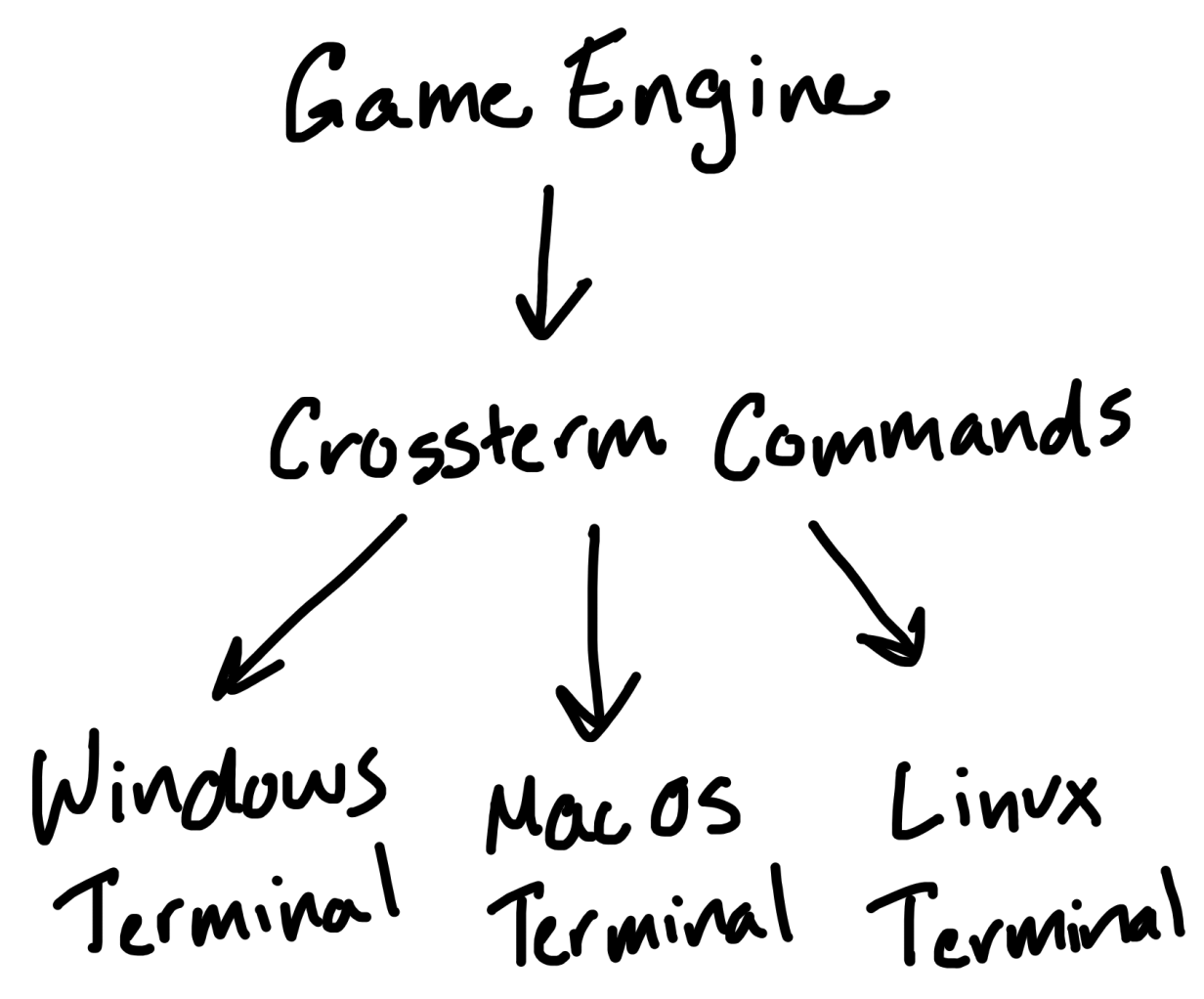
The important layers of abstraction looked like:
How do we support the web?
I’m sure there are other, potentially easier ways to accomplish this. I took shallow looks at options like xterm.js for a kind of “drop-in” solution, but it was a half-hearted search. I wasn’t convinced I would be able to get exactly what I wanted, especially considering a potential future mobile-friendly browser version, and besides I started this project to dive deeper into Rust.
(Some) Rust can run in the browser!
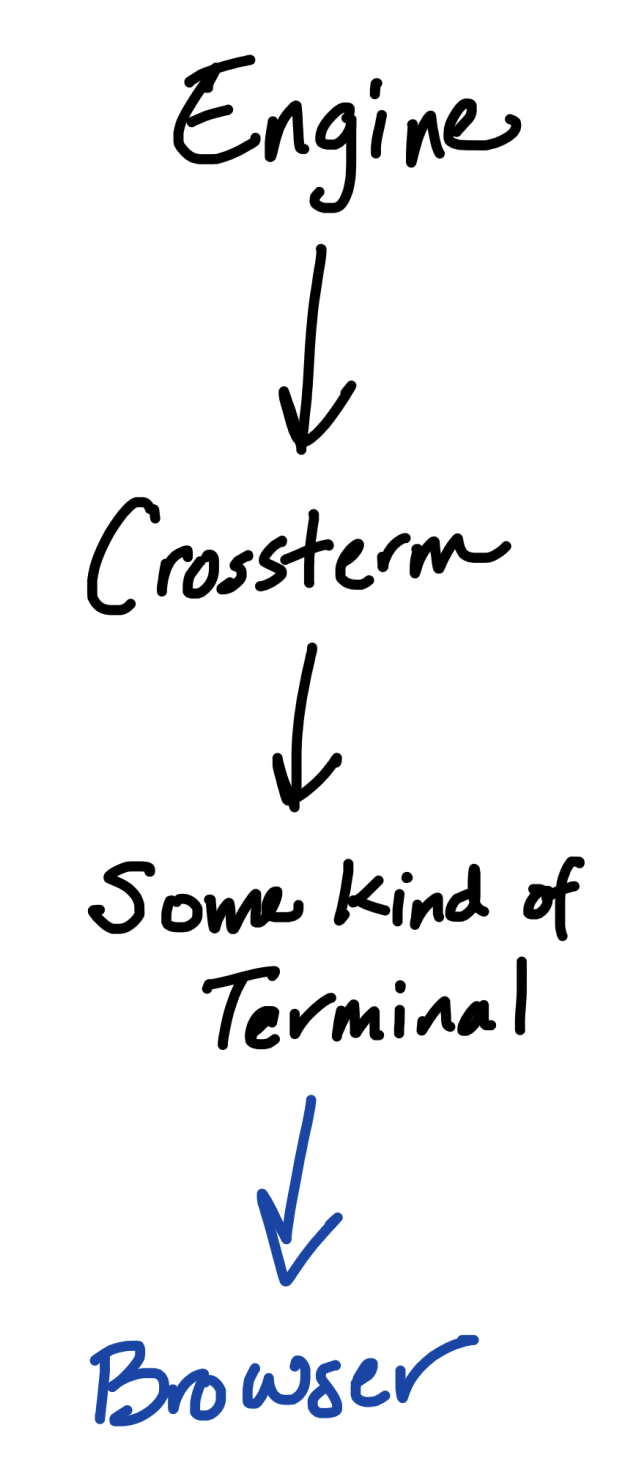
I decided to write whatever I was going to make to target wasm, via wasm-bindgen. My first foray into this involved trying to intercept the crossterm commands output by my engine and render them differently. Something that looked like this:
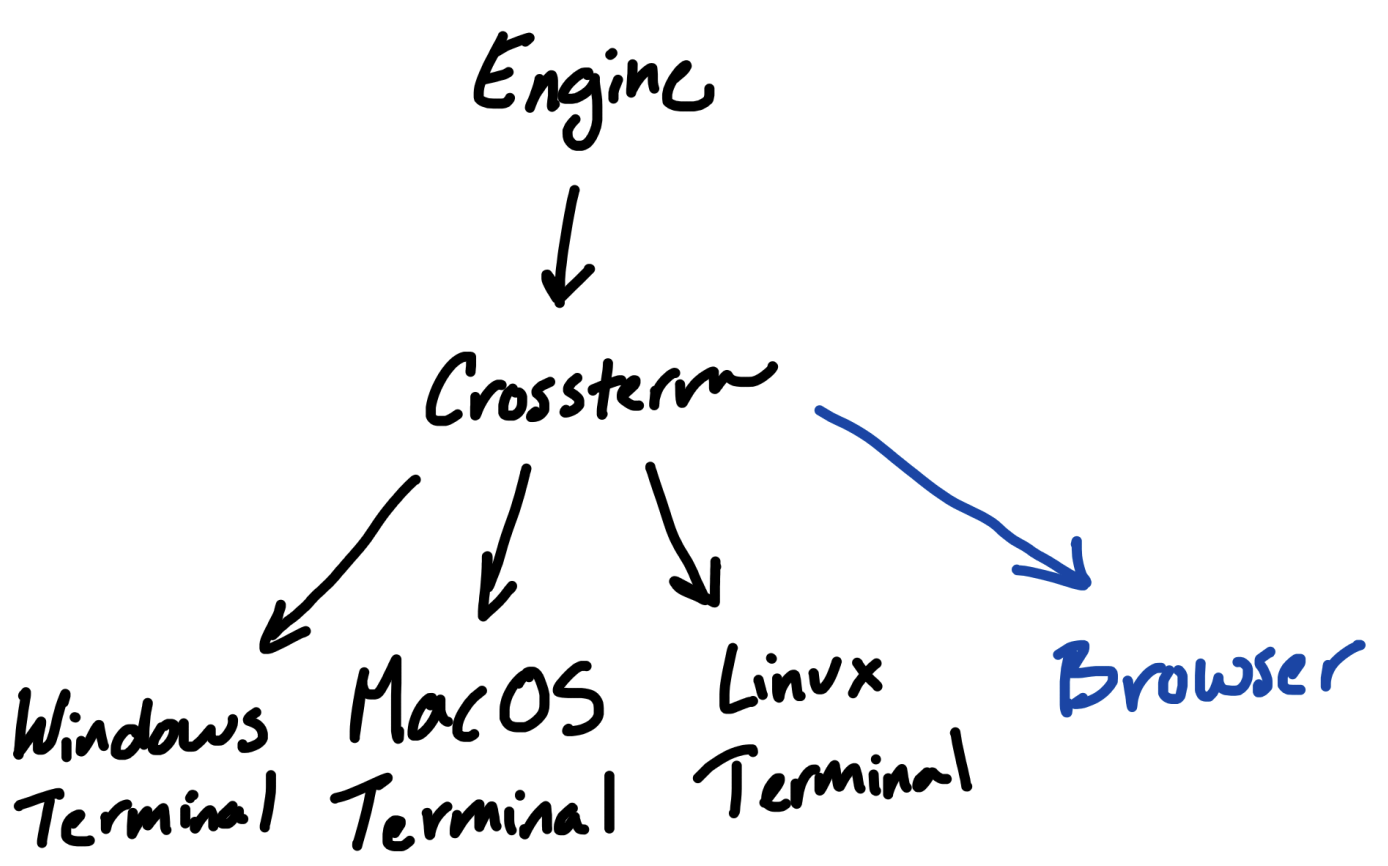
Our game engine already targeted the crossterm abstractions, and I could easily imagine a separate rendering engine that took the sequence of crossterm commands and instead of printing them to a terminal with fancy ANSI sequences, updated some DOM element. Eg. the renderer would maintain a grid layout in html and update it similarly to the character grid of the terminal.
Unfortunately, I was met with an issue: crossterm has stuff that can’t compile with a wasm target. After all it was built for OS terminals, so this should have been easy to predict.
I then optimistically wondered if there was a way to configure the crossterm dependency to only give me the command interfaces, without the wasm-incompatible terminal stuff under them? Then my core game logic could only bring in that, the terminal project could bring in the full crossterm dependency, and my web project would be free to make its own renderer based on the crossterm commands emitted by my core game logic.
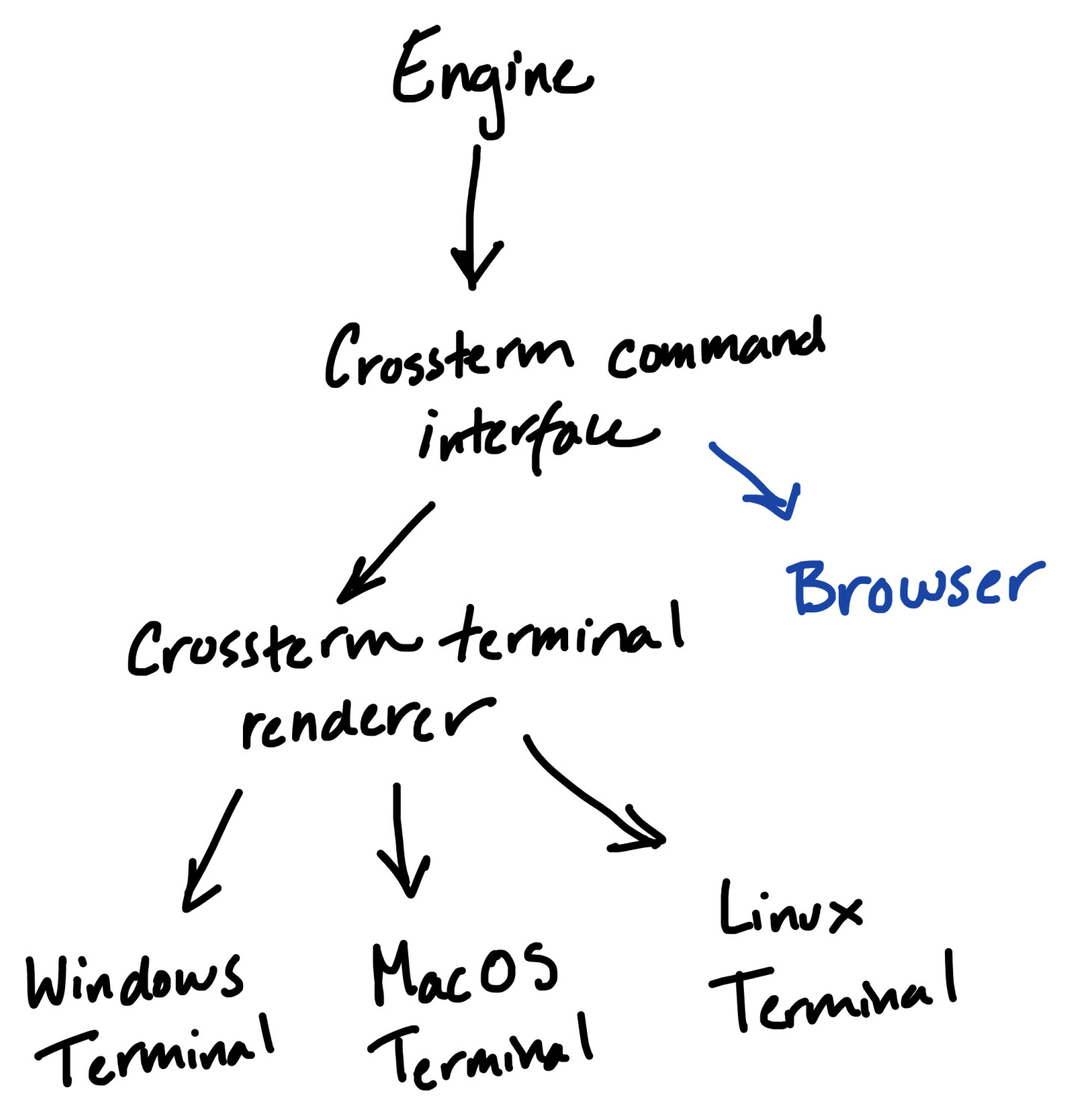
Turns out you can’t do that either, or at least I didn’t figure out the right cargo feature incantation. It looked like having the web project depend on crossterm at all was a no-go.
Fine, I’ll build my own crossterm
With that failure, I figured I had to go even one more step up.
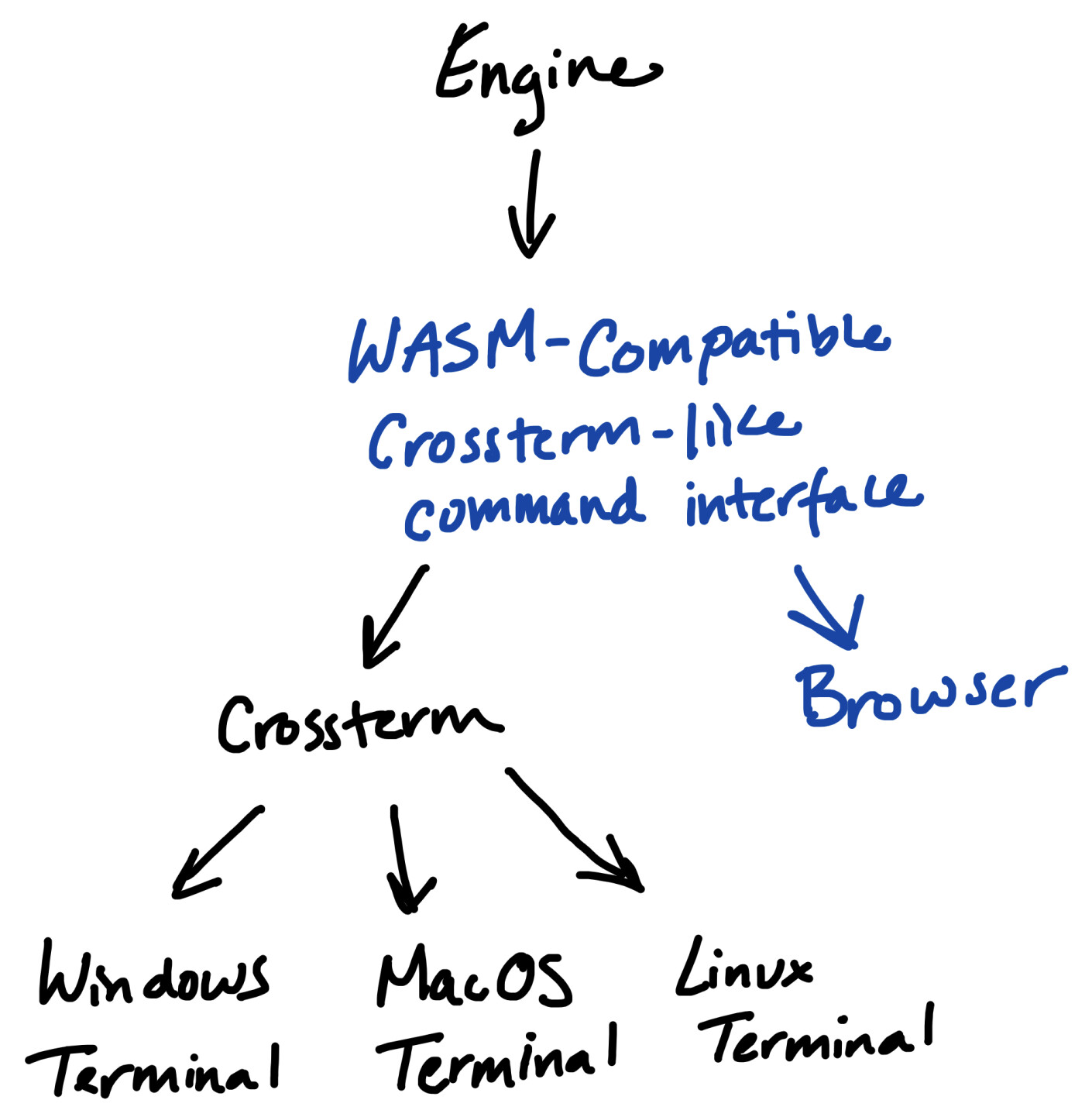
That’s what I ended up doing. I created a small subcrate in my Merchant workspace called terminal-commands that looked like a copy of the Commands offered by crossterm. I then rewrote my game engine to target that interface, which was very easy because that interface looks almost identical to crossterm commands.
// before
use std::io::{self, Write};

use crossterm::{queue, cursor::MoveTo, style::Print};

pub fn hello_world(writer: &mut impl Write) -> io::Result<()> {
  queue!(writer, MoveTo(0, 0), Print(“hello world”))
}

// after
use std::io::{self, Write};

use terminal_commands::{comp, Commands, cursor::MoveTo, style::Print}; // <— my own crate

pub fn hello_world(commands: &mut Commands) -> Result<(), String> {
  comp!(commands, MoveTo(0, 0), Print(“hello world”))
}
- Instead of importing the commands (
MoveTo,Print) from crossterm, we import them fromterminal_commands, which has maintained crossterm’s mod structure to make this refactor easy. - Instead of using crossterm’s
queue!macro to write to astd::io::Writetarget, we write to our ownCommandstype (which is just a vector of commands, storing the sequence for later rendering) with our owncomp!macro, which just makes it easier to push to the Commands Vec.
The core game logic translates the GameState structure into a big sequence of commands in this Commands Vec, and the some platform-specific engine can now pass that vector to a platform-specific renderer.
The terminal renderer is extremely straightforward, since the commands were modeled off of crossterm’s commands, so the renderer basically just does a 1:1 translation.
The html renderer is more interesting. This had to figure out a way to take coordinate-based commands like MoveTo(x, y) and translate them into some location on an html element, and then print possibly styled characters (moving 1 coordinate spot to the right each character).
The approach I ended up going with was to create a rectangular grid by defining each coordinate point with a span that contained either a character or a nbsp;. These character spans had styling attached to them that enforced that each character’s width was exactly 1ch, which for higher-order unicode characters was not reliably happening on mobile even with a monospaced font.
Handling input
The next part of the interface that needed to diverge based on environment was input handling.
The game engine relies on simple single-key input (eg. pressing “b” to navigate into the “buy” screen), including non-character keys like escape, as well as multiple digit input committed with enter (eg. entering how much of something you’d like to buy).
The same approach applies here: the terminal_commands subcrate has a KeyEvent struct, emulating the crossterm KeyEvent struct, and both terminal and html engines convert their environment’s interactions into that interface, then the game engine can handle it in the same way after that.
And supporting mobile
This required sprinkling some magic dust on top of the web interface. We can already render on mobile the same way we render on desktop, since it’s in the browser, but how should we handle input?
I considered more fancier techniques, like in the game engine annotating certain UI elements as a “button”, so that the web renderer could allow users to click directly on them instead of triggering their action via keyboard input. That would have been cool, and if what I built here was going to evolve into a publishable library that would be a great direction to move in, but I decided to keep things more in-line with the terminal environment and figure out direct keyboard input.
This meant telling the mobile device that it should have its keyboard open, but not necessarily showing the user a text input element. We achieve this by adding a hidden <input /> element to the DOM here, and listening to keyboard events on it here. Plus adding a whole bunch of annoying defensiveness because sometimes more input events trigger on mobile than on desktop for a single keypress.
Conclusion
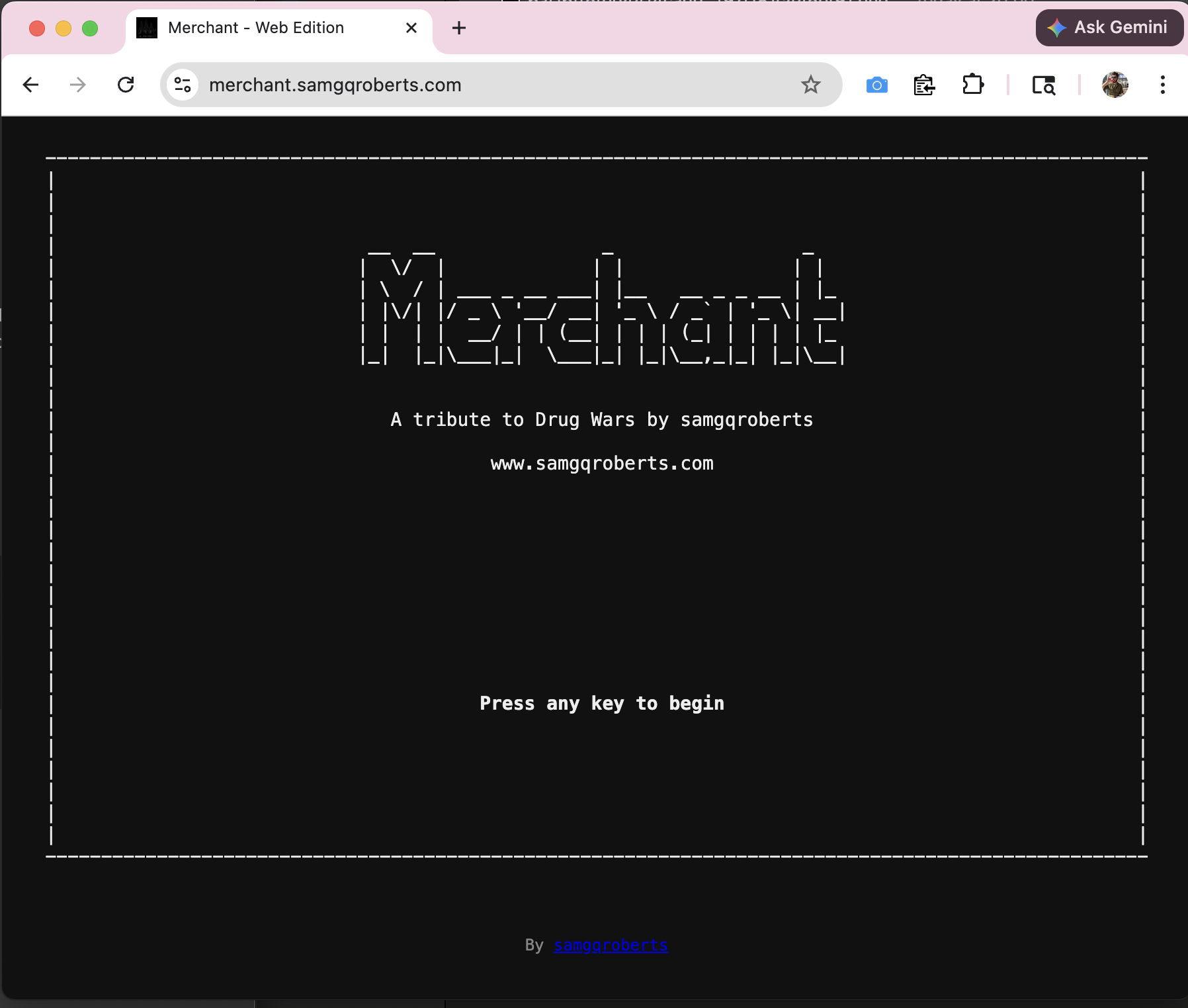
What we ended up with is a working game in the browser, powered by Rust / Wasm, sharing all game logic with the terminal version by way of an interesting little bespoke library. The tool is very niche, certainly, but as always the journey was the reward. I learned a lot, got to expand my familiarity with Rust which I always appreciate, and now I can send my non-programmer friends a simple URL to play my game rather than a set of scary instructions on how to open and use their terminal.
Thank you for reading!